


My Shark - AR Virtual Pet Game
4.352.00 Reviews
App Specs
- Version
- 2.0.0.0
- Updated On
- License
- Free
- Downloads
- 1,000,000+
- Developer
- Appsyoulove
- Categories
- Simulation
- Platform
- Android
Screenshots
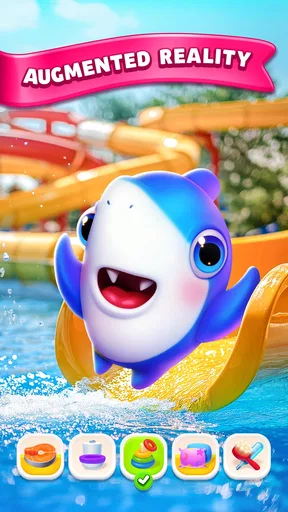
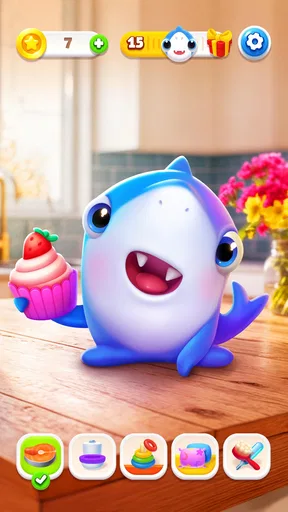
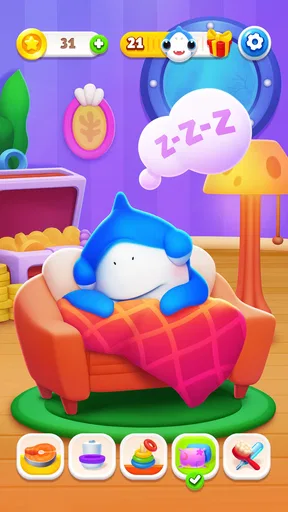
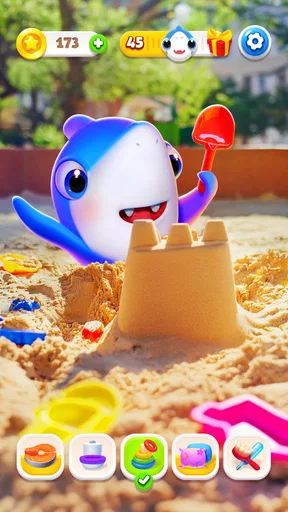
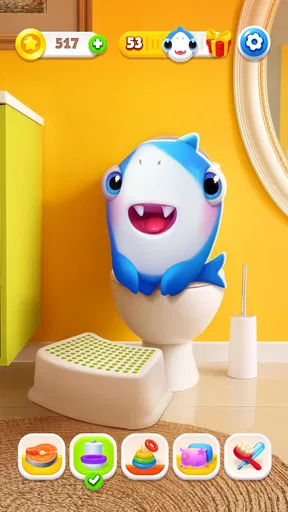
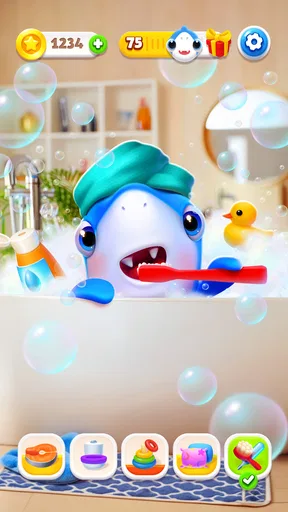
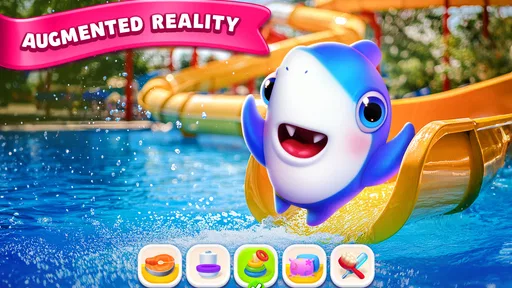
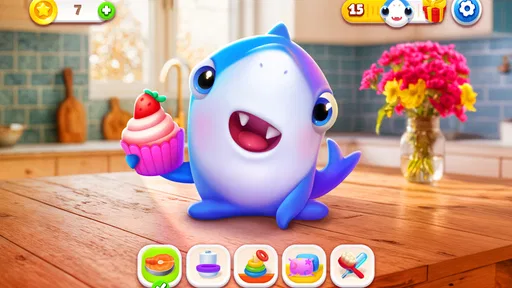
 Analysis by AppCompare
I did not expect My Shark - AR Virtual Pet Game to feel quite as involving as it does. At first glance, it looks like a light simulation game built around caring for a digital shark, but the merge-game layer gives the routine a little more structure than a simple virtual pet. I feed, check on, and look after the creature, then use the available merge activities to make the next visit feel worthwhile rather than repetitive.
That combination makes it easy to understand why the game has attracted more than a million installs and maintains an average rating of 4.3 from roughly 3.6 thousand ratings. Those figures do not make it perfect, but they suggest that its central idea works for a broad audience. In my experience, its biggest strength is not depth; it is the way it turns short visits into a small habit. I can open it for a few minutes, complete a simple activity, and leave without feeling that I have missed an entire day of progress.
How My Shark feels in its current form
My Shark is a free simulation game from Appsyoulove, designed around an augmented-reality virtual pet. The store summary presents it as a tamagotchi-style experience with merge games, and that is a useful way to understand the balance: the shark is the emotional focus, while merging supplies the interactive task that keeps care from becoming a sequence of taps.
The current version is 2.0.0.0, and that matters because this is not an early-looking experiment that feels unfinished from the moment it opens. The experience is presented as a complete, approachable game rather than a technical demonstration of AR alone. I found the pet concept easier to enjoy when I treated the augmented-reality element as a playful setting for the shark, not as a reason to expect a full aquarium simulator.
The game is free to start, with optional purchases ranging from $1.99 to $99.99 per item. That pricing range is important for anyone deciding whether the game belongs on a child’s device or a shared family phone. The core idea is accessible without paying, but the presence of purchases means I would still check the device’s purchase controls before handing it over to a younger player.
Its Everyone age rating also fits the friendly presentation. I would recommend it most readily to players who enjoy gentle, low-pressure activities, especially children who like animals or adults looking for a casual digital companion. It is less suitable for someone searching for a demanding management game, a competitive leaderboard experience, or a detailed marine-life simulation.
The pet loop is simple, but not empty
The basic appeal comes from having a creature that feels like it is waiting for your attention. That changes how I approach the game compared with a conventional puzzle title. In a normal merge game, I am mainly chasing the next combination. Here, the shark gives those actions a reason. I am not just clearing a board; I am doing something connected to the pet I am raising.
Worth Reading Before You Choose

EA SPORTS FC Mobile 26 Is a Bigger Football Game, but It Takes Time

Flipboard Shows What News Apps Must Do Beyond the Feed

Switching to Android Auto Means Rethinking Your Driving Routine

Google Calendar Makes a Crowded Week Easier to Manage

Ludo King Makes the Most of the Minutes Between Plans

Baby Panda World Brings Quick Play to Modern Phones, but Its Game Library Feels Busy
That emotional framing is useful, but it also creates the game’s main limitation. If you need complex decisions every time you play, the care loop may become too predictable. The shark gives the game personality, yet the experience remains intentionally gentle. I see that as a good fit for short sessions, not as a substitute for a full simulation with detailed breeding, habitat design, or resource management.
One practical way to enjoy it is to use the game as a small break between everyday tasks. I might open it after finishing a message, interact with the pet, and spend a little time on the merge activity before returning to work. The session does not need to become a long commitment. That makes the game more comfortable than many mobile titles that constantly push the player toward extended play.
For a child, the same structure can create a simple routine: check the shark, complete the available activity, and close the game. I would still supervise the first sessions, not because the concept is unsuitable for younger players, but because free games with optional purchases can be misunderstood when a child is exploring menus independently.
Why the merge games matter
The merge element is more than decoration. It gives the player something concrete to do after opening the app, which helps prevent the virtual pet from becoming a passive screen. I found the best rhythm came from alternating attention between the shark and the activity instead of treating either part as the whole game.
A useful tip is to avoid rushing through every available action as soon as the game opens. I get more enjoyment when I first look at the pet and decide what I want from the session: a quick check-in or a longer merge-focused visit. That small choice keeps the game from feeling like a checklist and makes the limited depth feel more intentional.
The trade-off is that players who already spend time with dedicated merge games may find this version lighter. Its merge play supports the pet-care idea rather than replacing it with a large puzzle system. If your priority is increasingly complex combinations, long-term strategic planning, or a deep collection chase, a specialist merge title will probably offer more variety.
On the other hand, someone who finds ordinary merge games too abstract may appreciate the context here. The shark gives the activity a softer purpose, and that can make the first few sessions easier to understand. I would describe it as a virtual-pet game with a merge activity, rather than a merge game that happens to contain a shark.
What changed, who benefits, and what still needs attention
The release date was May 10, 2025, while the current version is 2.0.0.0. That combination presents the game as a relatively recent title with a numbered release that suggests an established iteration rather than a first public draft. I would not treat the version number alone as proof of a particular feature history, but it does give existing players a useful point of reference when comparing the current experience with earlier installations.
For someone updating from an older build, the sensible expectation is a more settled product experience rather than a completely different genre. The central promise remains the same: care for the shark and use merge activities to add interaction. I would approach an update with the expectation of refinement and continued support for that loop, not with the assumption that it has become a large-scale aquarium management game.
That distinction matters for existing users. If you already enjoyed the pet-care routine, the current release should still feel familiar enough to preserve the reason you installed it. If you stopped playing because the loop felt too simple, a version change by itself may not solve that concern. The game’s identity is its calm, approachable structure, and that is also the boundary of what it offers.
New players benefit from entering at a point where the game has a clear identity. I did not need to learn a complicated economy or understand a long list of systems before enjoying the shark. The low barrier is one of the strongest reasons to try it, particularly for families choosing something that can be explained quickly.
Where it fits beside other virtual pets
Compared with a traditional tamagotchi-style app, My Shark adds more direct play through merging. That makes it feel less like a reminder-based care tool and more like a small game. Compared with a standard idle pet app, it gives me a clearer action to perform instead of asking me only to wait for the next interaction.
It also differs from animal simulation games that focus on realistic habitats or detailed statistics. The shark is presented as a friendly digital companion, not as a lesson in marine biology. I would choose it for charm and convenience, while choosing a more specialized simulation if I wanted accurate environmental management or a broader ecosystem.
The augmented-reality angle gives it another point of difference. I like the idea of bringing the pet into the player’s surroundings because it makes the creature feel less confined to a menu. Still, AR works best when I have enough space and patience to engage with it. On a crowded commute, in a dim room, or when I only have one hand free, the ordinary care and merge elements are more practical than trying to make the setting part of the experience.
This leads to a useful everyday rule: use the AR side when you want a more playful moment, but do not judge the whole game by whether you use AR every time. The pet-care loop and merge activities are what make short sessions workable. That flexibility is a real strength because it lets the game fit around the player instead of demanding a special setup for every visit.
Limitations I noticed in regular use
The first limitation is depth. My Shark is pleasant, but its appeal depends on enjoying repetition with a friendly theme. Players looking for difficult goals, intensive planning, or a story with substantial progression may run out of novelty sooner than they would in a larger simulation game.
The second is the tension between a child-friendly presentation and optional purchases. The game is free, which makes trying it easy, but the purchase range reaches from $1.99 to $99.99 per item. I would not leave payment settings unattended on a child’s device. Using purchase authentication is a simple precaution, and it lets the player enjoy the free starting experience without turning curiosity into an accidental expense.
The third limitation is that the AR concept is not equally convenient in every environment. A player who wants a game that works identically while lying in bed, travelling, or waiting in a queue may prefer to focus on the non-AR parts. The game is more flexible than an AR-only experience, but the most distinctive presentation naturally asks for a little more attention.
There is also a difference between emotional attachment and mechanical variety. The shark can make familiar actions feel more personal, but it cannot completely replace new systems. If I play only for the merge activity, I may eventually want something with broader puzzle variety. If I play only for the pet, I may want deeper customization or more substantial care decisions. The best audience is someone who enjoys the overlap of both.
Who should try it, and who should skip it
I would recommend My Shark to casual players who want a friendly animal companion, families looking for a simple game to explore together, and anyone who likes the idea of a virtual pet but wants more interaction than feeding and checking status. It is especially comfortable for short sessions because the merge layer gives each visit a clear activity without requiring a long commitment.
I would also suggest it to players who are curious about AR but do not want an experience built entirely around technical novelty. The shark gives the feature a recognizable purpose. You can enjoy the pet concept first and treat AR as an extra way to make the interaction feel more present.
I would skip it if your ideal simulation involves detailed systems, realistic animal care, complex economies, or constant strategic decisions. I would also choose a dedicated merge game instead if combining items is the only part that interests you. My Shark is strongest when the pet and the activity support each other; separating them removes much of its appeal.
For younger players, I would make the decision together rather than installing it without discussion. The Everyone rating makes the tone approachable, but the optional purchases still deserve a conversation about what is free, what may cost money, and when it is time to close the game. That small bit of guidance improves the experience without taking away its independence.
What I would watch as the game develops
The most important future question is whether the pet-care side gains enough variety to keep returning players interested. The current concept is easy to enjoy, but long-term appeal would depend on meaningful reasons to revisit the shark beyond repeating the same basic routine. New ways to interact, more thoughtful progression, or richer use of the AR setting could strengthen the experience without making it overwhelming.
I would also watch how the merge activities balance accessibility and repetition. They need to remain simple enough for the Everyone audience while offering enough variation for returning players. If the activities become too shallow, the pet may carry the entire experience; if they become too demanding, the gentle virtual-pet identity could be lost.
For current users, my advice is to judge each update by how it improves the daily rhythm rather than by the version number alone. A useful change would be one that makes caring for the shark feel more rewarding, makes short visits smoother, or gives the merge layer a clearer purpose. Those are the areas that matter most to the game’s actual appeal.
After spending time with it, I see My Shark as a charming, deliberately lightweight simulation rather than a deep management game. Appsyoulove has built an approachable mix of AR pet companionship and merge play, and the result works best when I want a small, cheerful activity instead of a demanding challenge. Its real strength is the balance between a lovable virtual pet and something active to do with it.
I would install it for a child who enjoys animal games, for a casual player who likes short routines, or for myself when I want a low-pressure break. I would not install it expecting a complete aquarium simulator or an advanced merge puzzle. With sensible purchase controls and realistic expectations about its depth, My Shark is an enjoyable free game that earns its place as a simple digital companion.
Pros
- Fun AR interactions make the shark feel lively and entertaining.
- Simple controls are suitable for younger players and casual sessions.
- Customizable pet elements add a personal touch to gameplay.
- Short activities work well for quick play sessions.
- A playful concept encourages curiosity about virtual pets.
Cons
- AR performance may vary depending on the phone and lighting conditions.
- The novelty can wear off after the initial discovery period.
- Some features may require in-app purchases or extra progression.
- Camera access is necessary for the core augmented-reality experience.
- The game may use noticeable battery power during extended AR play.
FAQs for My Shark - AR Virtual Pet Game
What is My Shark - AR Virtual Pet Game?
My Shark - AR Virtual Pet Game is an interactive mobile experience that lets you care for and play with a virtual shark using augmented reality. After placing the shark in your surroundings, you can watch it move around, interact with it, and enjoy a playful pet simulation. It is designed primarily for casual entertainment rather than realistic aquarium management or complex gameplay.
How does augmented reality work in My Shark?
The game uses your device’s camera and augmented reality features to place the virtual shark into the real world. You generally need to scan a suitable surface, such as a floor or table, before positioning the pet. Good lighting and a compatible phone improve tracking accuracy. Because AR performance depends on the device, older phones may experience limited effects, slower movement, or occasional placement problems.
Does My Shark require an internet connection?
An internet connection may be needed when downloading the application, loading advertisements, or accessing certain content and updates. Basic interaction with the virtual shark may work offline, but this can vary depending on the version installed and the device being used. If you plan to use the game while traveling, it is worth testing its main features without Wi-Fi or mobile data first.
Is My Shark - AR Virtual Pet Game suitable for children?
The game is generally easy to understand and can be entertaining for children who enjoy animals, virtual pets, and augmented reality. However, parents should review the app’s age rating, advertising, in-app purchase options, and permission requests before allowing independent use. Camera-based games also require children to play in a safe area, since focusing on the screen while moving can create avoidable accidents.
What permissions and device requirements should I check before downloading?
My Shark typically needs access to the device camera so it can display the virtual shark in your surroundings. Depending on the platform and version, it may also request notifications, network access, or other standard permissions. Before installing, check the official store listing for supported Android or iOS versions, required storage, privacy details, and whether your phone supports the AR features used by the game.


